Amazon Photos: Photo & Video
- 4.7
- Rating
- 50.00M
- Installs
- Free
- Price

 Analysis by App-foxy
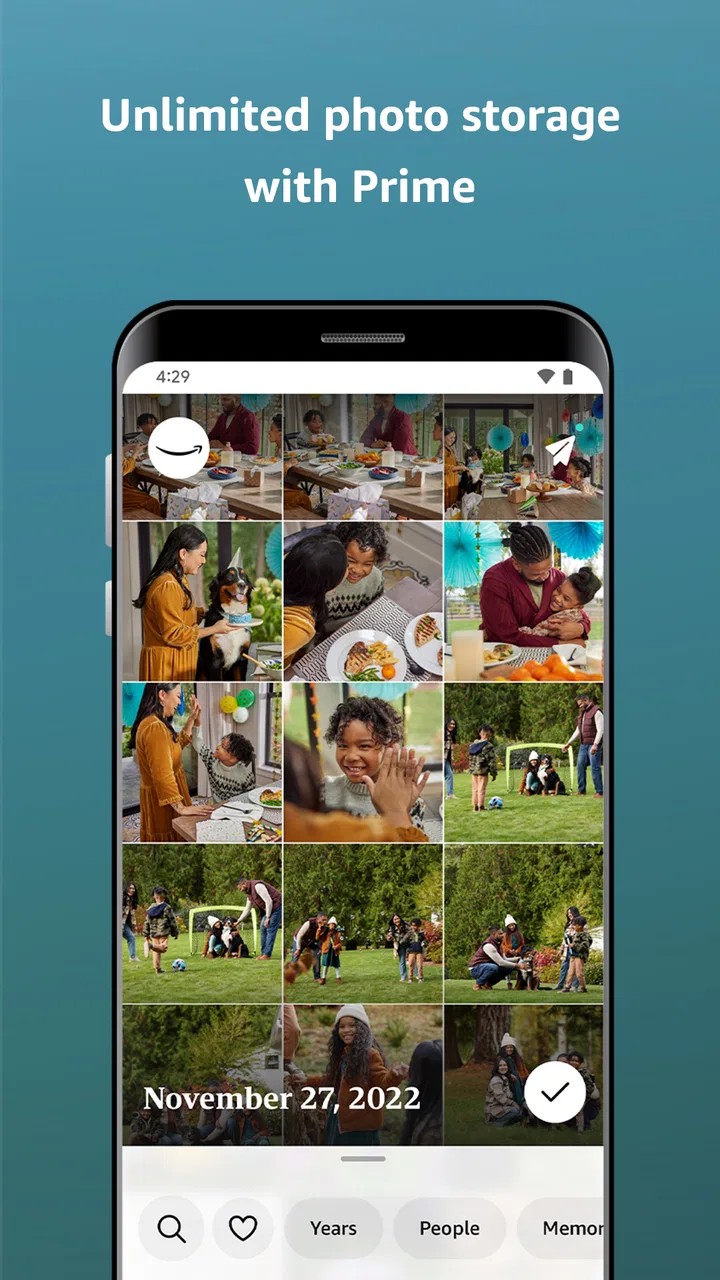
I use Amazon Photos as a practical place to keep a personal photo library available across devices, rather than as a full photo-editing suite or a social network. That distinction matters. The app comes from Amazon Mobile LLC, sits in the photography category, and is free to install for everyone, with optional in-app purchases ranging from $0.99 to $11.99 per item. Its central appeal is simple: Prime members receive unlimited photo storage plus 5GB for video, while other users can still use the app within the storage available to their Amazon account.
After spending time with it, my impression is that Amazon Photos works best as a quiet backup and browsing tool. It is especially useful if your household already uses Amazon services, if you take many pictures on a phone, or if you want a second copy of important memories without manually transferring files. It is less convincing for someone who wants advanced editing, deep creative controls, or a highly specialized professional archive.
How Amazon Photos feels today
The first thing I noticed is that the app does not try to turn photo storage into a complicated project. You sign in with an Amazon account, allow the app to access your pictures, and then decide whether automatic uploading fits your routine. That straightforward setup is one of its strongest qualities because the value of a backup service depends on whether it quietly keeps working after the initial setup.
You May Also Like

 AccuWeather: Weather Radar
AccuWeather Review: A Quick, Clear Forecast for Everyday Decisions
For everyday plans, the best forecast is the one you can understand quickly. AccuWeather makes rain timing, radar, and local conditions easy to act on, with a few trade-offs.

 Hill Climb Racing
Why Hill Climb Racing Still Turns Crashes Into One More Run
A tiny car, a bumpy hill and one more upgrade: Hill Climb Racing keeps resurfacing because its simple chaos makes every near-miss feel personal.

 AliExpress - Shopping App
AliExpress Makes Global Shopping Feel Personal, but Shoppers Bear the Risk
AliExpress turns a global marketplace into a pocket-sized discovery engine. Its reach is useful, its shopping loop compelling, and its trade-offs easy to miss.

 Lords Mobile: Kingdom Wars
Lords Mobile Is a Kingdom-Building Routine, Not a Quick Match
A case-by-case verdict on the building, battles, device demands, and social commitments that make Lords Mobile rewarding for some players and exhausting for others.

 PDF Scanner app - TapScanner
TapScanner Makes Paperwork Easier to Capture, Check, and Share
TapScanner makes scanning with a phone feel less like a rescue operation and more like a dependable step in getting work done. Its capture tools are useful, though not flawless.

 Block Blast!
 Shows How Much a Puzzle Game Can Leave Out
A quiet grid game shows why puzzle players increasingly value instant clarity, repeatable skill and low-pressure play—and where the genre still needs to catch up.
More From Our News Desk
View All News


In everyday use, I think of it as a safety net. If I take pictures during a family gathering, a short trip, or an ordinary weekend, the app can make those images available beyond the phone where they were captured. That becomes more useful when a device is lost, replaced, or simply runs out of local space. The important habit is to open the app after setup and check that recent pictures are actually appearing in the library instead of assuming that every file has already been copied.
The interface is aimed at ordinary photo browsing. I can move through a timeline, look for familiar images, and use the library as a place to revisit older memories. This feels more relaxed than managing folders through a file manager. At the same time, people who organize everything into carefully named project folders may find a dedicated desktop archive or a more advanced cloud-storage service easier to control.
Amazon Photos has reached a substantial audience, with more than 50 million installs and an average rating of 4.7 from roughly 1.1 million ratings. Those figures suggest that the basic promise is resonating with many people, but they should not be mistaken for proof that it suits every workflow. A large mainstream audience usually means the app is approachable, not that it offers every specialist feature.
What the Prime storage offer changes
The most important difference is the storage arrangement for Prime members. Unlimited photo storage can remove one of the most irritating decisions in a growing library: which pictures deserve space and which ones must be deleted. The separate 5GB allowance for video is more limited, so I would not treat the service as unlimited storage for an entire camera roll. Video files can consume that allowance quickly, especially when a phone records long clips or high-resolution footage.
This creates a useful but easy-to-miss trade-off. A person who mainly takes still photographs may feel very comfortable with the service, while someone whose library is mostly videos should examine the available space before making it the only backup. I would also keep another copy of irreplaceable videos, because a convenient photo plan is not automatically a complete media-archiving strategy.
For non-Prime users, the decision is more dependent on the amount of storage already available through the Amazon account and on how aggressively the library grows. The app can still be worth trying, but the unlimited-photo advantage is not the same. I would begin with a small test: upload a representative group of photos, inspect how they appear, and see whether the available capacity matches your habits before relying on it for a long-term collection.
A useful workflow for a busy household
One realistic scenario is a family sharing pictures from a child’s school event. Several relatives may take similar shots, and nobody wants to send every image manually through a messaging app. With Amazon Photos, each person can keep a personal copy in the cloud and browse the collection later from a larger screen or another device. The benefit is not just saving space; it is reducing the small daily chores that cause people to forget backups.
I would still be deliberate about shared access. A family library can become messy when screenshots, receipts, downloaded images, and duplicate pictures sit beside meaningful memories. My practical tip is to review the library occasionally and remove clutter before it becomes overwhelming. Automatic backup is excellent at copying what exists, but it is not the same as thoughtful curation.
What has changed and what that means for users
The app was released on November 2, 2012, so it is not a new experiment. Its long presence helps explain why the service feels oriented toward continuity rather than novelty. Amazon has had time to position it as part of a broader account ecosystem, and that can be reassuring for people who want a familiar service rather than a short-lived photo tool.
The current Android requirement is version 8.0 or later. For people using a reasonably recent phone, that should not be a major obstacle, but anyone keeping an older device should check compatibility before planning a migration. This is also a reminder that cloud libraries are not completely independent of hardware: the service may preserve the pictures, but an outdated handset can still limit the experience of uploading and browsing them.
From a user’s perspective, the product’s evolution is most visible in the way it serves as a cross-device library instead of merely a camera-roll extension. That shift changes expectations. I no longer judge it only by how quickly it shows today’s photos; I also look at how comfortably it helps me revisit older images, recover files after changing phones, and separate a backed-up copy from the originals stored locally.
Existing users benefit most when they treat the app as an ongoing habit. The initial upload is only the beginning. I recommend checking a few older photos from another device, confirming that important images open correctly, and learning how the app groups or displays the library. That small test can expose an organizational issue early, when correcting it is still manageable.
Where it is stronger than familiar alternatives
Compared with keeping everything only in the phone’s gallery, Amazon Photos adds protection against a single-device failure. A phone gallery is convenient, but it is tied closely to the handset and its storage. A cloud-backed library gives me more flexibility when changing devices or freeing local space.
Compared with a general file-storage service, Amazon Photos is more comfortable for browsing pictures as memories rather than as anonymous files. I do not have to think about every image as a document with a filename. That makes it a better fit for families and casual photographers who want to look through moments, not manage a technical folder tree.
On the other hand, a dedicated photo ecosystem may be a better choice for people who want sophisticated editing, richer album design, extensive sharing controls, or a highly polished experience across a particular device brand. Amazon Photos is not the app I would choose as my main creative workspace. I see it as the dependable storage layer beneath that workspace.
Small habits that prevent bigger problems
My first practical tip is to avoid judging backup success from the upload indicator alone. After a large batch, I open several recent photos and a few older ones. If the library is important, I also check it from a second device or browser session. That confirms that the files are not merely visible in a local cache.
My second tip is to separate still-photo expectations from video expectations. Prime’s unlimited photo storage is generous for a picture-heavy collection, but the 5GB video allowance calls for more planning. I would reserve it for meaningful clips, keep long recordings elsewhere when necessary, and avoid assuming that a large photo plan automatically covers an entire phone’s media folder.
My third tip is to use the service as a backup before using it as a cleanup tool. I would not delete local originals immediately after seeing them appear online. First, I would verify several files, including a few that matter most, and make sure the account is accessible. Only then would I consider removing local copies to reclaim space.
A fourth useful approach is to create a simple review routine after events. Following a holiday or family celebration, I would let the upload finish, remove obvious duplicates, and identify the best images while the memory is still fresh. This keeps the library usable without turning organization into a weekly administrative task.
The friction I would not ignore
The biggest limitation is that storage convenience does not equal complete control. People with strict folder structures, complex professional projects, or large video collections may quickly want tools that are more specialized. The app makes sense for personal memories, but it may feel restrictive when every file needs precise naming, versioning, or project-level organization.
There is also a psychological risk with automatic backup: it can create false confidence. A picture appearing in a cloud library does not mean the whole backup plan is finished. Accounts can become inaccessible, libraries can become disorganized, and videos can use space faster than expected. I would keep important originals in another location, especially for work, legal records, or once-in-a-lifetime footage.
The optional purchases also deserve attention. The app itself is free, but some users may encounter paid storage-related choices, with individual purchases priced between $0.99 and $11.99. I would decide on a storage budget before upgrading and compare that cost with the services already included in my existing accounts. The best value depends heavily on whether Prime membership is already part of the household’s routine.
Privacy-minded users should also make their own comfort assessment before uploading personal images to any cloud service. I would be particularly careful with sensitive documents photographed on a phone, such as identification or financial paperwork. A photo backup app is convenient, but convenience should not replace judgment about what belongs in an online library.
Who should use it, and who should look elsewhere
I would recommend Amazon Photos to Prime members who take lots of still pictures and want an uncomplicated way to keep them available after replacing or losing a phone. It is also a sensible option for relatives who want a shared family habit without learning a complicated file-management system. The Everyone age rating makes it approachable for a broad household, although adults should still decide how private images and shared devices are handled.
I would be more cautious recommending it to a photographer who needs detailed editing, dependable project organization, or a video-first archive. In those cases, a specialist photo manager, a professional cloud-storage plan, or a local drive combined with an independent backup may be a better foundation. Someone who does not use Amazon services and has already built a strong library elsewhere may also gain little from moving everything.
The app is particularly attractive when its storage benefit overlaps with a service you already pay for. If that overlap does not exist, I would compare the total cost, the treatment of videos, the quality of sharing, and the ease of exporting the library before committing. Switching a large collection later can be tedious, so the right decision is less about the app being universally good and more about whether its storage model matches your media habits.
What I would watch before making it my only library
I would watch how the service handles a rapidly growing video collection, how easy it remains to retrieve originals, and whether the organization tools continue to feel manageable as the number of photos increases. Those are the areas most likely to affect long-term satisfaction after the initial convenience wears off.
I would also pay attention to the experience on older supported devices. Android 8.0 is the stated minimum, but practical performance can still vary with available storage, camera output, and the age of the handset. A service can be compatible on paper while feeling slow during a large upload or a long browsing session.
Finally, I would keep an eye on the balance between automatic behavior and user control. Automatic uploading is the reason many people choose this kind of app, but good long-term use still requires occasional checking, cleanup, and a second backup for especially valuable files. The strongest setup is not blind dependence; it is a simple routine that uses the service for convenience while preserving control elsewhere.
My final view is favorable, with clear boundaries. Amazon Photos is a practical photo backup companion, not an all-purpose replacement for a professional media workflow. Its free entry point, Prime-focused unlimited photo storage, broad device reach, and familiar browsing approach make it easy to recommend to the right household. I would install it for a photo-heavy library, test the upload and retrieval process, and keep video limits in mind. If your priority is effortless protection for everyday pictures, it earns a place on the phone. If your priority is advanced editing or meticulous archival control, I would pair it with a more specialized tool rather than asking it to do everything.
FAQs for Amazon Photos: Photo & Video
01What is Amazon Photos and how does it work?
Amazon Photos is a cloud storage service that allows you to store, share, and organize your photos and videos. It offers unlimited photo storage for Amazon Prime members and 5 GB for videos or non-members. You can access your media from any device via the app or web, ensuring your memories are always at your fingertips.
02Is Amazon Photos safe to use for storing personal photos and videos?
Yes, Amazon Photos is a secure platform. It uses encryption to protect your files during transfer and storage. Amazon’s robust infrastructure ensures your photos and videos are safe from unauthorized access. Regular backups and data redundancy further enhance its reliability and security features, making it a trusted choice for personal media storage.
03How does Amazon Photos compare to other photo storage services?
Amazon Photos stands out with its unlimited photo storage for Prime members, a feature not commonly offered by competitors. It integrates seamlessly with Amazon devices like Echo Show and Fire TV. While competitors might offer different features, Amazon Photos’ integration with Alexa and ease of use are significant advantages for existing Amazon ecosystem users.
04Can I share my photos and albums with friends and family using Amazon Photos?
Yes, Amazon Photos allows you to easily share your photos and albums with others. You can create shared albums, invite others to view, or use the Family Vault to share with up to five members. The app provides multiple sharing options, ensuring you can keep your loved ones connected with your cherished memories.
05What are the costs associated with using Amazon Photos?
Amazon Prime members enjoy unlimited photo storage at no extra cost, while non-members receive 5 GB of free storage. Additional storage can be purchased if needed. Various plans are available, depending on your storage requirements, ensuring flexibility and affordability for different user needs. Prices vary, so checking the latest rates on Amazon’s site is recommended.
Pros
- Unlimited photo storage for Prime members.
- Easy organization with automatic sorting.
- Simple sharing options with friends and family.
- Access photos across all your devices.
- Photo recognition for quick searches.
Cons
- Limited video storage without Prime.
- Editing tools are somewhat basic.
- Interface can be sluggish at times.
- Requires Amazon account to use.
- No option for collaborative albums.

Amazon Photos: Photo & Video
Gallery